Required Configurations
The UI framework requires two types of configuration:
endPointConfig and ipaConfig. These configurations can be combined
or managed separately.
endPointConfig#
A configuration for the platform service endpoints must be provided to the framework. Endpoint paths must be provided for any services you want to use on the platform.
config.js#
const endPointConfig = { itemServiceOrigin: 'https://api.platform.com', passportServiceOrigin: 'https://api.platform.com', fileServiceOrigin: 'https://api.platform.com', datasourceServiceOrigin: 'https://api.platform.com', graphicsServiceOrigin: 'https://api.platform.com', baseRoot: 'http://localhost:8083/app'};This configuration must be loaded and provided globally by your application.
index.html#
<head>    <meta http-equiv="Content-Type" content="text/html; charset=utf-8" />    <meta http-equiv="X-UA-Compatible" content="IE=edge">    <meta name="viewport" content="width=device-width, initial-scale=1, maximum-scale=1, user-scalable=no" />    <meta name="description" content="My Platform Application" />    <title>My Platform Application</title></head>
<body> <script type="application/javascript" src="/app/config.js"></script> <div id="app"></div></body>ipaConfig#
The ipaConfig configuration specifies
- Redux slices that you want to use to extend state management
- Additional controls and components with which you want to extend the EntityView or DashboardView.
The ipaConfig must contain:
- Your application's name
- Your application's unique id
- The user
configUserTypefor your application - The location of any Redux slices you want to add
- The location and types of any components you want to make available to framework-provided pages
You may also specify:
- CSS files to load after all other framework css has been loaded allowing for style customizations
The css files must be in the ipaCore/css folder.
All Redux slices and components will be loaded from app/ipaCore folder.
- Redux slice files must exist in the
app/ipaCore/reduxfolder - Component files must exist in the
app/ipaCore/componentsfolder
const ipaConfig = {  appName: "My Platform Application",  applicationId: "07b8b191-b465-461d-be7e-8f3e9b492708",  configUserType: 'my-ipa',  css: ['myTheme.css'],  redux: {    slices: [      {name: 'connections', file: 'connections.js'}    ]  },  components: {    dashboard: [      {name: "SisenseWidgets", file: "SisenseWidgets.jsx"},      {name: "SisenseIframe", file: "SisenseIframe.jsx"},      {name: "PropertyInfoTable", file: "PropertyInfoTable.jsx"},      {name: "MatterportViewer", file: "MatterportViewer.jsx"},    ],    entityData: [      {name: "SisenseWidgets", file: "SisenseWidgets.jsx"},      {name: "HaystackPointReadingTable", file: "HaystackPointReadingTable.jsx"},      {name: "MatterportViewer", file: "MatterportViewer.jsx"}    ],    entityAction: [      {name: "ServiceRequestModal", file: "ServiceRequestModal.jsx"}    ]  }}
export default ipaConfigThe Types of Components#
Three types of components are currently supported to extend the framework provided pages.
dashboardcomponents - Dashboard components can be used and displayed on theDashboardViewand configured through the user configuration for theDashboardViewpageentityDatacomponents - Entity data components can be used and displayed in theEntityDataStackin theEntityViewpageentityActioncomponents - Entity action components can be used to add new types of actions configured in the action\'s configuration for theEntityViewpage. Entity action components must export a factory method that is<the components' name>+Factory. This method should return the component.
Check that the Redux Slices and Components are Loaded#
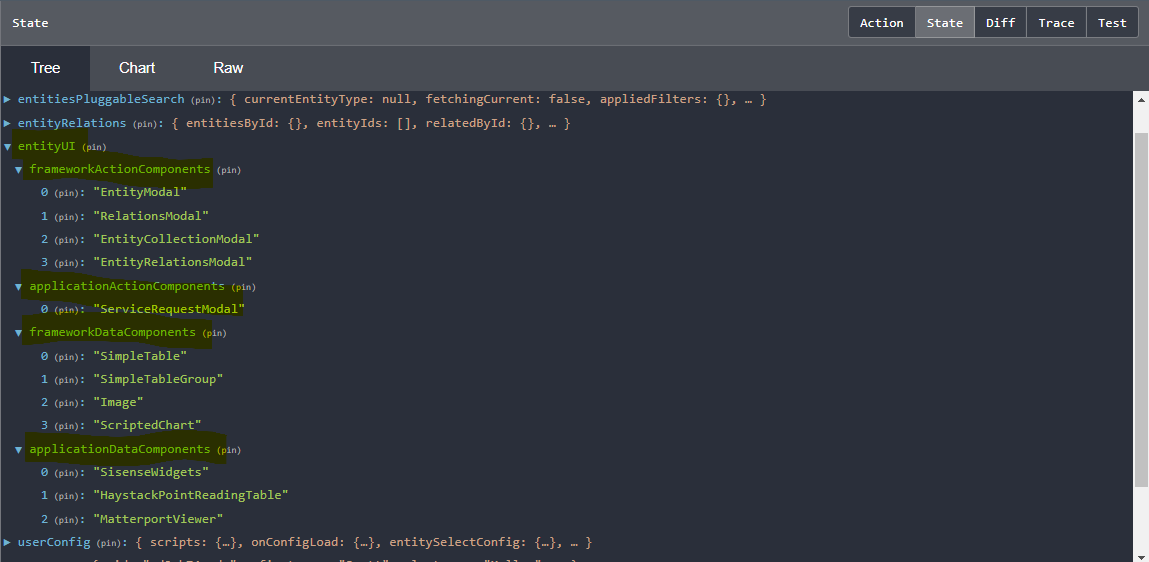
You can check if your slices and components are correctly loaded by the framework using the Redux tools in your browser.
The Redux state should show any slices you added.
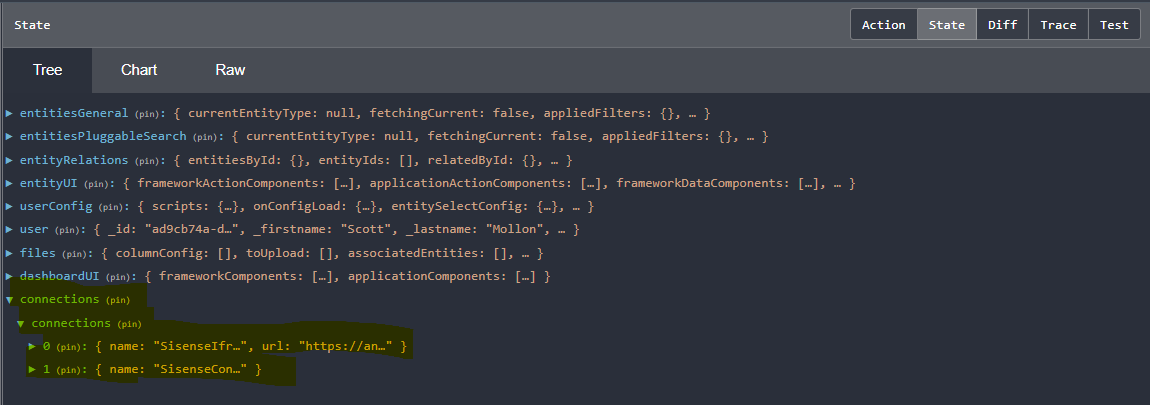
It should also show slices for dashboardUI and entityUI